
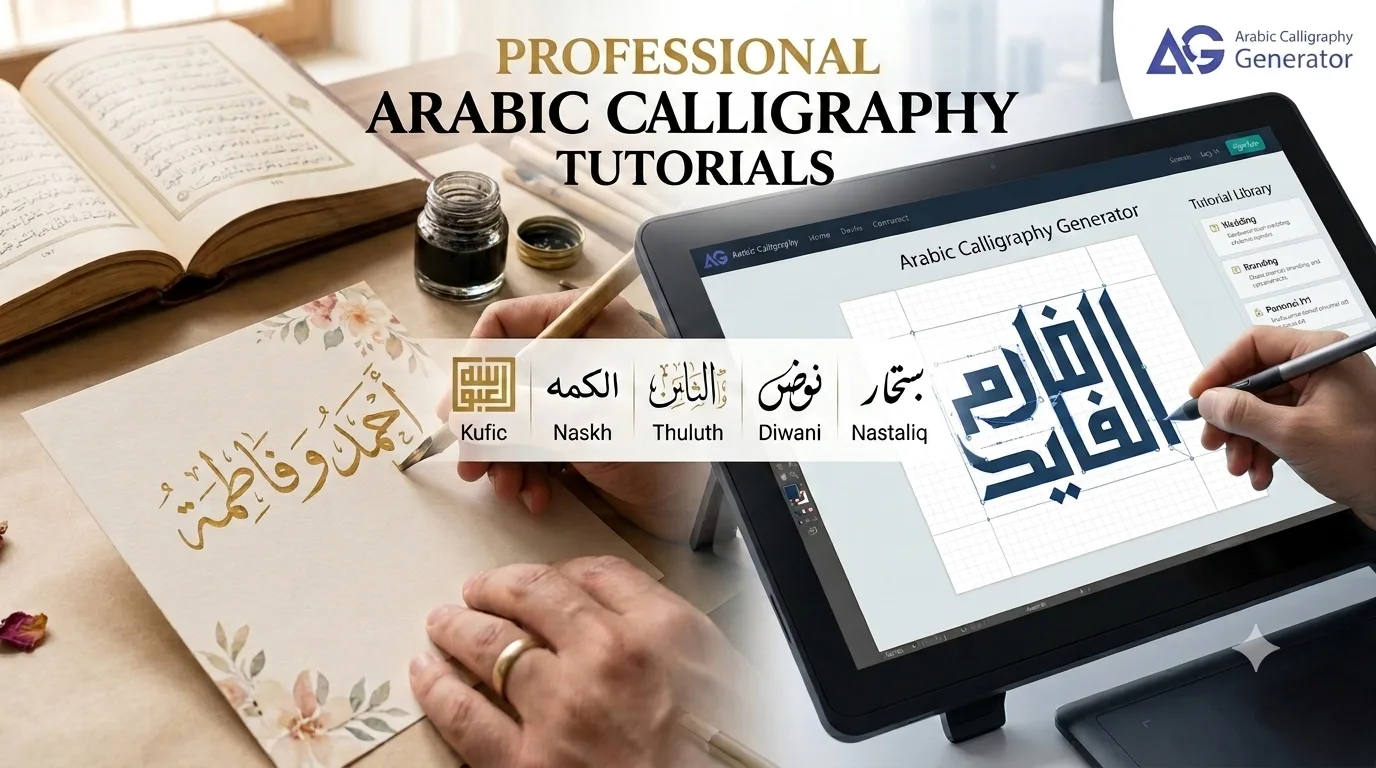
Arabic Calligraphy Tutorials – Professional Techniques
Learn to Create Professional Arabic Calligraphy Designs
Welcome to our comprehensive tutorial library. Whether you’re designing wedding invitations, creating business logos, or making personal art, these step-by-step guides will help you achieve professional results. complete beginner’s guide
Each tutorial includes:
- Complete step-by-step instructions
- Design tips and best practices
- Cultural considerations Arabic calligraphy generator for Indonesian users
- Export settings for different uses
- Real examples and inspiration see real design examples
Tutorial Categories
Wedding & Event Design
Learn to create stunning invitations and event materials
Business & Branding
Professional logos and commercial applications
Personal Art & Gifts
Name art, posters, and keepsakes
Technical Guides
Printing, exporting, and file preparation
Wedding & Event Design Tutorials
Tutorial 1: How to Design Arabic Wedding Invitations
Difficulty: Intermediate
Time: 45-60 minutes
Best For: Couples, event planners, designers wedding invitation tutorial
Learn to create elegant Arabic wedding invitations that honor cultural traditions while matching modern aesthetics.
What You’ll Create:
- Main invitation text in Diwani script
- Couple names in elegant Thuluth
- Event details in readable Naskh
- Complete print-ready design
Step-by-Step Process:
Step 1: Choose Your Calligraphy Style
For weddings, traditional choices are:
Diwani (Most Popular)
- Flowing, decorative
- Ottoman courtly elegance
- Perfect for couple names
- Best for 1-5 words maximum
Thuluth (Formal & Elegant)
- Tall, stately letterforms
- Religious and formal contexts
- Great for headings
- Readable yet beautiful choosing the right style
Avoid for weddings:
- Kufi (too modern/geometric)
- Nastaliq (Persian poetry style)
- Naskh (too plain for this use)
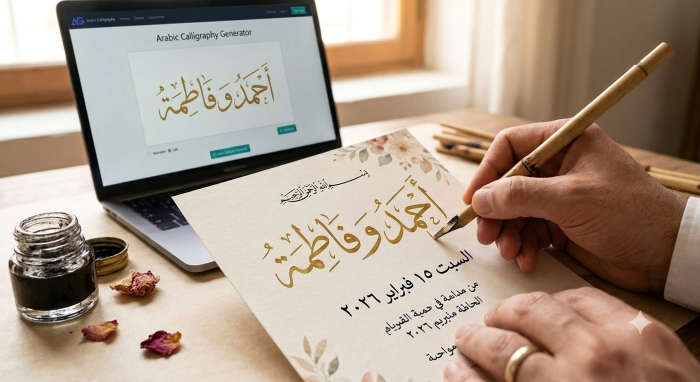
Step 2: Design the Couple Names
Example: “Ahmed & Fatima”
- Open the generator
- Type: “Ahmed and Fatima” or “أحمد و فاطمة”
- Select Diwani style
- Adjust settings:
- Font size: 150-180px
- Color: Gold (D4AF37) or Rose Gold (B76E79)
- Stroke: On, 2-3px, darker shade
- Background: Cream texture or solid ivory
- Add “&” symbol or “و” (Arabic “and”) between names:
أحمد و فاطمة
Ahmed و Fatima - Export at 3x scale for printing
Design Tip: Keep couple names as the largest, most decorative element
Step 3: Add Event Details in Readable Style
For information text (date, time, venue), use Naskh:
Example text:
تشرفنا بحضوركم (We are honored by your presence)
السبت ١٥ فبراير ٢٠٢٦ (Saturday, February 15, 2026)
قاعة الفرح، دبي (Al-Farah Hall, Dubai)
Settings for details:
- Style: Naskh
- Size: 80-100px
- Color: Matching but subdued
- Background: None (transparent)
Step 4: Cultural Considerations
Include:
- Bismillah (بسم الله الرحمن الرحيم) at top (if religious ceremony)
- Parents’ names (traditional in many cultures)
- Both English and Arabic text (for multicultural guests)
Avoid:
- Over-decoration that makes text unreadable
- Using Quranic verses inappropriately
- Mixing too many calligraphy styles (max 2-3)
Step 5: Color Schemes for Islamic Weddings
Traditional Palettes:
Classic Gold:
- Gold calligraphy (D4AF37)
- Cream background (FFF8DC)
- Deep burgundy accents (800020)
Modern Elegant:
- Rose gold text (B76E79)
- Ivory background (FFFFF0)
- Dusty blue accents (7C9AA5)
Royal Theme:
- Dark green text (004225)
- Pearl white background (F8F6F0)
- Gold accents (CFB53B)
Desert Chic:
- Terracotta text (E07A5F)
- Sand background (F4E4C1)
- Burnt orange accents (C1502E)
Step 6: Export Settings for Professional Printing
For Print Shop:
- Format: PNG (transparent background)
- Scale: 3x minimum (for 300 DPI)
- Color mode: CMYK (if printer requires)
- Size: 5×7 inches standard invitation
For Home Printing:
- Format: JPG or PNG
- Scale: 2x-3x
- Paper: Cardstock 80lb+
- Printer: Set to “Best Quality”
For Digital Invitations:
- Format: PNG
- Scale: 2x
- Optimize for web (reduce file size)
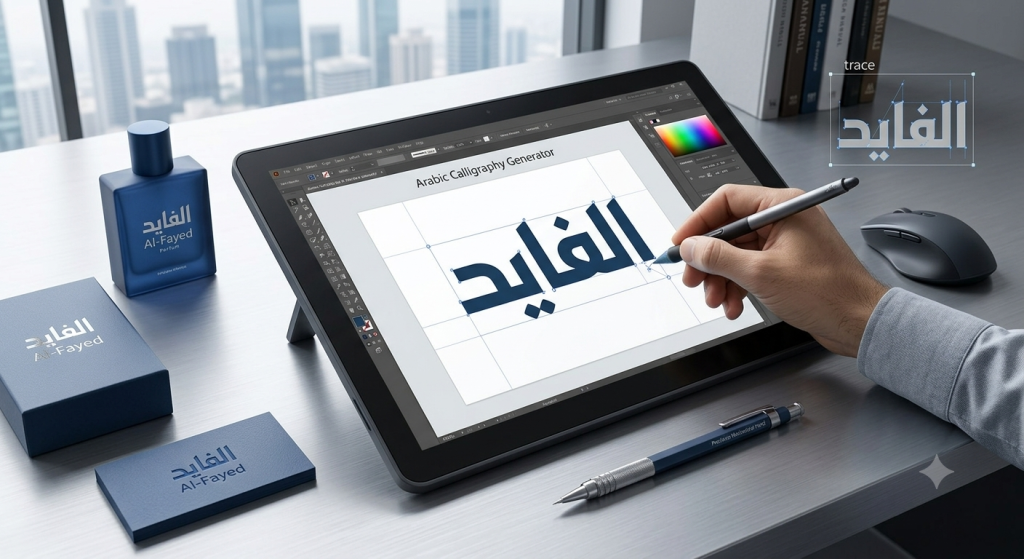
Step 7: Complete Invitation Layout
Suggested order (top to bottom):
- Bismillah (if religious) – Small, Naskh
- Decorative border or floral motifs
- Couple Names – Large, Diwani
- “Request the honor of your presence”
- Event details – Medium, Naskh
- Date, time, venue
- RSVP information
- Parent names (if traditional)
Tutorial 2: Eid & Ramadan Greeting Cards
Best Styles: Thuluth, Naskh
Time: 20-30 minutes
Common Phrases:
Eid Mubarak = عيد مبارك
Ramadan Kareem = رمضان كريم
Blessed Eid = عيد سعيد
Design Tips:
- Use crescent moon and star motifs
- Green and gold color schemes (Islamic tradition)
- Thuluth for main greeting
- Add English translation below
Export: 1080x1080px for social media, 2x scale
Tutorial 3: Birth Announcement Cards
Style: Thuluth or Naskh
Time: 30 minutes
Example Text:
Welcome [Baby Name]
مرحباً [اسم المولود]
Born: [Date]
ولد في: [التاريخ]
Parents: [Names]
الوالدان: [الأسماء]
Color Schemes:
- Boy: Light blue, silver, white
- Girl: Soft pink, gold, ivory
- Gender-neutral: Mint green, yellow, cream
Business & Branding Tutorials
Tutorial 4: Creating Arabic Business Logos
Difficulty: Intermediate-Advanced
Time: 1-2 hours
Best For: Entrepreneurs, designers, branding professionals
When to Use Arabic Calligraphy in Logos:
Appropriate for:
- Middle Eastern restaurants
- Halal businesses
- Islamic organizations
- Cultural centers
- Arabic language schools
- Middle Eastern import/export
- Modest fashion brands
Not recommended for:
- Generic businesses with no cultural connection
- Trend-chasing without authenticity
- Copying traditional styles without understanding
Logo Design Process:
Step 1: Choose Style Based on Brand Personality
Modern Tech/Startup → Kufi
- Clean, geometric
- Contemporary feel
- Easy to reproduce at small sizes
- Works well in monochrome
Luxury/Premium → Thuluth
- Sophisticated elegance
- High-end association
- Complex but memorable
Traditional/Heritage → Diwani or Naskh
- Cultural authenticity
- Traditional values
- Artisanal craftsmanship
Step 2: Keep It Simple
Logo Design Rules:
- Maximum 2-3 words
- One calligraphy style only
- Must be readable at small sizes (business card)
- Works in black and white
- Recognizable at distance
Good:
مقهى النور
(Noor Café)
Too Complex:
مقهى النور للقهوة العربية الأصيلة والحلويات الشرقية
(Too many words, won’t scale down)
Step 3: Design for Versatility
Your logo needs to work:
- On business cards (small)
- On storefront signs (large)
- On social media (square)
- On letterheads (horizontal)
- In color AND black & white logo design tutorial
Create variations:
- Horizontal version
- Stacked version
- Icon-only version
- Monochrome version
Step 4: Export for Professional Use
Vector Format (Best for logos):
- Export PNG at 8x scale
- Import into Illustrator/Inkscape
- Trace to create vector
- Save as SVG or AI format
Raster Formats:
- PNG transparent: 2000px width minimum
- JPG on white: For documents
- Multiple sizes: 512px, 1024px, 2048px
Step 5: Test Your Logo
Readability Test:
- Can people read it from 10 feet away?
- Does it work at business card size?
- Is it clear on phone screen?
Cultural Test:
- Show to Arabic speakers
- Confirm no unintended meanings
- Verify proper spelling
Versatility Test:
- Print on different backgrounds
- Try in grayscale
- Test at very small and very large sizes
Tutorial 5: Arabic Typography for Social Media
Platforms: Instagram, Facebook, LinkedIn
Time: 15 minutes per post
Optimal Sizes:
- Instagram Post: 1080x1080px
- Instagram Story: 1080x1920px
- Facebook Cover: 820x312px
- LinkedIn Banner: 1584x396px
Design Tips:
- High contrast (readable on phone)
- Large text (mobile-first)
- Consistent brand colors
- Minimal background clutter
Popular Post Types:
- Motivational quotes
- Business announcements
- Event promotions
- Brand storytelling
Personal Art & Gifts Tutorials
Tutorial 6: Creating Arabic Name Art
Difficulty: Beginner
Time: 15-30 minutes
Perfect For: Gifts, room decor, personal expression
Single Name Design
Step 1: Choose the Name
Examples:
- Your name
- Child’s name
- Spouse’s name
- Parent’s name
Step 2: Select Style Based on Personality
Bold personality → Kufi
Elegant personality → Thuluth
Artistic personality → Diwani
Classic personality → Naskh
Step 3: Add Meaning (Optional)
Include the name’s meaning below in English:
Example:
نور
Noor
“Light”
Step 4: Frame-Ready Export
For 8×10 inch frame:
- Design at 2400x3000px
- Export PNG transparent
- Background: Add in Canva or Photoshop
- Print on: Matte cardstock
For 11×14 inch poster:
- Design at 3300x4200px
- Higher resolution for larger print
- Export 3x scale
Tutorial 7: Couple Name & Anniversary Designs
Styles: Diwani (romantic), Thuluth (elegant)
Time: 30-45 minutes
Layout Options:
Side-by-Side:
أحمد فاطمة
Ahmed Fatima
Heart Shape:
فاطمة
❤️
أحمد
Intertwined (Advanced):
Both names flowing together in Diwani
Anniversary Touch:
Add date below:
Since 2020
منذ ٢٠٢٠
Tutorial 8: Arabic Motivational Quote Posters
Popular Quotes:
لا تيأس (Never Give Up)
الصبر مفتاح الفرج (Patience is the key to relief)
كن نفسك (Be Yourself)
Poster Design:
- Style: Thuluth for impact
- Size: 18×24 inches (standard poster)
- Colors: Bold, high contrast
- Background: Textured or gradient
Export: 5400x7200px, 3x scale, PNG
Technical & Export Tutorials
Tutorial 9: Complete Printing Guide
Understanding Resolution:
72 DPI = Screen only (web, phone)
150 DPI = Acceptable home printing
300 DPI = Professional print standard
600 DPI = High-end commercial printing
How to Calculate Size:
Formula: Pixels ÷ DPI = Inches
Example:
3000px wide ÷ 300 DPI = 10 inches wide
Our generator at 3x scale:
~2400px width = 8 inches at 300 DPI
Print-Ready Checklist:
- Exported at 2x-3x scale
- High contrast colors (dark on light or vice versa)
- Tested print preview
- Correct paper type selected
- Bleed area considered (for cut designs)
- Proofread Arabic text
Paper Types:
Cardstock (80lb+):
- Wedding invitations
- Business cards
- Gift tags
Photo Paper (Glossy/Matte):
- Wall art
- Photographs
- High-quality prints wall art creation guide
Canvas:
- Large wall art
- Gallery-style displays
- Durable, premium look
Vinyl Stickers:
- Laptops, water bottles
- Weather-resistant
- Requires vector or very high res
Tutorial 10: From Our Generator to Professional Software
Workflow: Generator → Design Software
For Canva:
- Export PNG transparent, 3x scale
- Upload to Canva
- Place on custom background
- Add additional design elements
- Export from Canva
For Adobe Illustrator:
- Export PNG, highest scale
- Open in Illustrator
- Image Trace to vectorize
- Clean up paths
- Save as SVG or AI
For Photoshop:
- Export PNG transparent
- Open in Photoshop
- Add layer effects (shadows, glows)
- Composite with other elements
- Save for web or print
Quick Reference Charts
Style Selection Guide
Project Type | Recommended Style | Why
Wedding Invitation | Diwani, Thuluth | Traditional, elegant
Business Logo | Kufi, Naskh | Clean, scalable
Motivational Poster | Thuluth | Impactful, readable
Name Art | Any (personal choice) | Based on personality
Restaurant Menu | Naskh | Readable, practical
Social Media Quote | Thuluth, Kufi | Bold, eye-catching
Birth Announcement | Thuluth, Naskh | Elegant yet clear
Book Cover | Kufi, Thuluth | Professional appeal
Export Settings Quick Reference
Use Case | Format | Scale | Notes
Social Media | PNG | 2x | 1080×1080 for Instagram
Print (Home) | PNG/JPG | 2x-3x | Standard paper
Print (Pro) | PNG transparent | 3x | 300 DPI minimum
Web (Banner) | PNG | 1x-2x | Optimize file size
T-shirt | PNG transparent | 3x | White background
Business Card | PNG | 3x | Test small size
Poster (Large) | PNG | 3x | Consider upscaling
Logo | PNG transparent | 3x | Convert to vector
Color Combination Ideas
Traditional Islamic:
- Emerald green + Gold + Ivory
- Navy blue + Silver + White
Modern Elegant:
- Rose gold + Blush pink + Cream
- Charcoal + Copper + Beige
Bold Contemporary:
- Teal + Coral + White
- Purple + Mustard + Grey
Minimalist:
- Black + White only
- Single color + White background
Pro Tips from Experience
Design Tips:
- Less is More – Don’t overcrowd designs
- Test Readability – Show to someone unfamiliar with Arabic
- Cultural Check – Verify with Arabic speakers for important projects
- Print Test – Always test print before bulk orders
- Save Versions – Keep copies at different stages
Common Mistakes to Avoid:
- Using too many styles in one design
- Making text too small to read
- Forgetting to check spelling
- Not considering cultural context
- Exporting at low resolution for print
- Ignoring color contrast
- Mixing left-to-right and right-to-left text
Next Steps
Want to dive deeper?
- Practice Projects:
- Design your family’s Eid cards
- Create a logo for a fictional café
- Make name art for all your friends
- Advanced Learning:
- Study traditional calligraphy techniques
- Learn Arabic alphabet fully
- Understand historical context deeply
- Join Community:
- Share your work on Instagram with ArabicCalligraphyGenerator
- Get feedback from other creators
- Inspire others with your designs
Related Resources
- Beginner’s Learning Path – Start from basics
- Complete Styles Guide – Deep dive into each style
- Cultural Context – Understand the significance
- Gallery – Get inspiration from examples
Need Help?
Questions about a specific project?
Email: [email protected]
Want custom design services?
We offer professional calligraphy design for special projects. Contact us for quote.
Found these tutorials helpful?
Consider upgrading to PRO for HD exports, no watermarks, and commercial licensing.